
Summary
Website monitoring alerts only work if your team trusts and acts on them. Poor alert configuration—mismatched channels, vague thresholds, and alerts routed to the wrong people—is one of the leading causes of missed downtime and slow incident response. A well-designed alerting strategy maps notification channels to severity levels, sets thresholds that reflect real user impact, and ensures the right engineer is paged at the right time. The result is a team that responds to incidents before customers notice them, not after.
Website monitoring alerts are the automated notifications your system sends when something goes wrong, like when a server goes down, response times spike, or error rates climb, so your team can respond before customers feel the impact.
Too many alerts is a configuration problem
A shepherd boy kept crying "Wolf!" when there was no wolf. The villagers ran to help the first few times, but eventually stopped believing him. When the real wolf arrived, nobody came. The sheep were taken.
Now picture the shepherd as your monitoring tool, the villagers as your engineering team, and the wolf as a production outage. If every minor CPU spike or fleeting HTTP timeout triggers a phone call in the middle of the night, your team will stop responding—not out of negligence, but out of self-preservation. They've learned the alerts lie.
Alert fatigue is a real and costly problem. The answer isn't fewer alerts. It's smarter ones. Here's how to build a website monitoring alert strategy your team will actually trust.

Choosing your alert channels for monitoring notifications
Not every incident needs the same response, and not every engineer wants to be reached the same way. The goal isn't to pick one channel and apply it everywhere—it's to match the channel to the alert's severity and context. Here's what each option offers:
Email
Email works well when urgency isn't the priority. Recovery notifications, weekly uptime summaries, configuration change confirmations, and informational alerts—these are all a good fit.
SMS
Text messages have higher open rates and faster response times, making SMS a good choice for after-hours incidents when engineers aren't monitoring dashboards. It's interruptive by design—which is exactly what you need when something needs attention outside of business hours.
-
Voice calls
Voice calls are the highest-urgency channel and should be treated accordingly. An automated call makes sense when a critical incident hasn't been acknowledged after a defined window, or as the final step in an escalation path.
-
Mobile push notifications
Push notifications occupy a useful middle ground—they're immediate and visible without carrying the same weight as a text message or call.
-
Collaboration tool integrations (Slack, Microsoft Teams, and more)
For most engineering teams, this is where active incident response actually happens. Routing alerts directly into a dedicated channel like #incidents or #on-call means that when a notification fires, it lands where your team already communicates. Engineers can triage, share context, and coordinate a resolution without switching tools or starting a new email thread.
The effectiveness of this channel depends on how alerts are structured. An alert that identifies the affected service, environment, and severity level in its notification text lets the team scan and prioritize it at a glance. A generic "Monitor Down" message in a busy Slack channel is nearly as useless as no alert at all.
Site24x7 integrates natively with tools like Slack and Microsoft Teams, with configurable notification profiles that control which events flow to which channels. See our complete list of integrations.
-
Incident management platforms (PagerDuty, Opsgenie, and more)
For teams with complex on-call rotations, strict SLAs, or distributed coverage, dedicated incident management tools add a layer of intelligence that monitoring-native alerting doesn't provide. Platforms like PagerDuty or Opsgenie handle on-call scheduling, alert acknowledgment tracking, automatic escalation, and post-incident timelines in one place. Connecting Site24x7 to an incident management platform means alert delivery becomes a managed workflow rather than a best-effort notification.
Site24x7 also integrates with a broad range of other tools across ITSM, communications, and DevOps, including ServiceNow, Jira, Zendesk, Zapier, and webhooks for custom integrations.
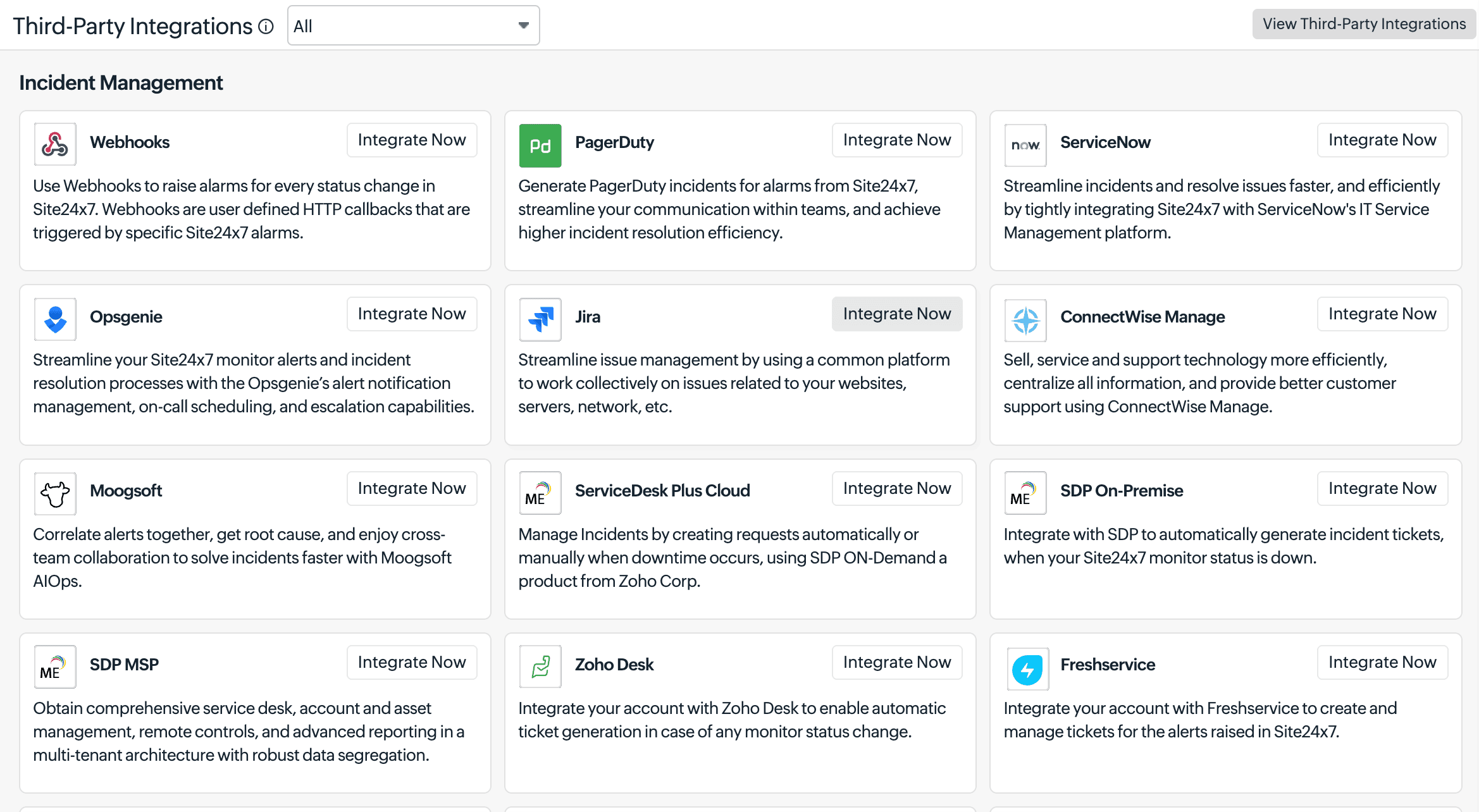
A full list is available at site24x7.com/integrations.
Thresholds: The difference between signal and noise
The right alert channel means nothing if you're alerting on the wrong things. Set thresholds too low and you get the boy-who-cried-wolf problem. Set them too high, and your monitoring tool only activates after your customers have already noticed.
Here's a practical three-tier framework:
Trouble (Warning): A metric is degraded but not at a failure state. Response times are elevated, error rates are creeping up, meaning something is worth looking into. Route these to email or a Slack channel during business hours—they need attention, not an emergency response.
Critical: A metric has crossed a threshold with real user impact. Checkout is slow. API calls are failing at a measurable rate. This warrants immediate attention from whoever is on call. Route to Slack and SMS.
Down: A resource is confirmed unavailable. Not a timeout from a single location, but a verified failure across multiple monitoring points. This is the actual emergency. Trigger a voice call, SMS, your incident management platform, and your war room channel, all at once.
Multi-location verification is worth emphasizing on its own. A brief network blip in a single region shouldn't wake anyone up. Confirming a failure from two or more locations before triggering an alert eliminates a significant source of false positives. Read our threshold and availability help documentation to see what features you can use for your requirements.
Escalation: What happens when no one answers
Even the best alert setup fails if no one sees the alert. Escalation settings act as a safety net, automatically sending more urgent notifications to more people if an issue isn’t acknowledged.
The goal isn’t to put extra pressure on your team. It’s to make sure no incident goes unnoticed. Escalation paths create accountability and visibility when they’re needed most.
On-call schedules: Right alert, right person, right time
Sending every alert to every engineer is the monitoring equivalent of shouting into a crowded room. You'll get confusion, duplicated effort, and the psychological diffusion of responsibility where everyone assumes someone else will handle it.
On-call schedule features let you define shifts—who is responsible for alerts during which hours—and route notifications accordingly. During business hours, email and Slack may suffice. Overnight and on weekends, the on-call engineer's SMS and voice channels activate automatically.
This approach also prevents the organizational unfairness of a single engineer perpetually bearing the weight of all after-hours incidents, which is both a burnout risk and a retention risk.
Persistent alerts and muting: Two sides of the same coin
Some incidents don't resolve quickly. Persistent alerts—repeat notifications sent at configured intervals while an issue remains unresolved—ensure that a monitor going down at midnight doesn't silently fail for six hours if the initial notification is missed.
On the flip side, scheduled maintenance and planned deployments can generate a torrent of expected alerts that create noise without value. Muting alerts for a defined maintenance window is a hygiene practice that keeps your team's signal-to-noise ratio healthy. The alerts stop temporarily, but the data continues to be logged for post-maintenance review.
Status pages: Keep everyone informed, not just your engineers
Alerts get the right people working on a problem. While the fixes are in progress, a status page keeps every stakeholder informed. Site24x7's status pages update automatically from your monitoring data—no manual posts needed—giving customers, stakeholders, and dependent teams real-time visibility into service health during an incident. A well-maintained status page reduces support ticket volume and preserves customer trust during major outages or even during planned maintenances. A page with "Investigation in progress—engineers engaged, last updated 3 minutes ago" does more to retain confidence than silence ever could.

Naming matters more than you think
One underestimated factor in alert effectiveness? The clarity of what the alert actually says. An engineer receiving a notification at 3am needs to understand immediately, from the notification text alone, what is down, where it is, and how severe it is.
Ambiguously named monitors generate ambiguously actionable alerts. "Monitor_07 is DOWN" tells your engineer nothing. "US-East Checkout API (Production) is DOWN—Payment processing impacted" tells them everything they need to know before they've even opened their laptop.
Standardizing naming conventions for monitors is a low-effort investment that pays dividends at precisely the moments you can least afford confusion.
The right alert reaches the right person at the right time
Here's the principle that ties everything together: An alert is only as good as the action it triggers.
A phone call to an engineer who isn't on-call triggers no action. An email to an inbox that's muted overnight triggers no action. An alert for a threshold breach that never represented a real user-facing problem triggers friction and distrust, not action.
Building a monitoring alerting strategy means continuously auditing each of these dimensions: severity classification, channel selection, recipient routing, escalation path, and threshold values. What works for your team today may need adjustment in three months as your infrastructure changes, your team grows, or your traffic patterns shift.
The monitoring tool that sends you the right alert—specific, accurate, routed to the right person, at the right time, with enough context to act—is the tool your team will trust. And, a team that trusts its alerts is a team that acts on them. Start your efficient website monitoring journey with Site24x7 today.
Frequently asked questions
How can Site24x7 help avoid alert fatigue in website monitoring?
Alert fatigue occurs when monitoring systems generate so many notifications—including false positives and low-priority events—that engineers begin to tune them out. This creates a dangerous state in which genuinely critical incidents fail to receive the response they need, leading to extended downtime and a degraded user experience.
Site24x7 addresses this through several configurable controls: granular threshold tiers (Trouble, Critical, Down) so only real failures trigger high-urgency notifications; multi-location verification that confirms a failure across multiple monitoring points before alerting, eliminating single-region blips; consecutive-failure confirmation that requires N failures before a notification fires; maintenance window suppression to silence expected noise during deployments; and per-severity channel routing so a warning-level event reaches Slack while a down event pages the on-call engineer directly. Together, these controls ensure every notification that fires carries genuine signal—keeping your team responsive when it matters most.
How do I reduce false alerts in website monitoring?
Reducing false alarms involves configuring accurate thresholds, enabling multi-location verification before triggering alerts, using consecutive-failure confirmation (e.g., alerting only after N failures, not one), and setting appropriate notification delays when automated remediation are in place. Starting with relaxed thresholds and tightening them based on observed baselines is more effective than starting aggressively.
What is an escalation policy in website monitoring?
An escalation policy defines a sequence of notifications that automatically broadens when an incident goes unacknowledged. For example, an initial alert is sent to the on-call engineer via email; if unacknowledged after 10 minutes, an SMS is sent; after an hour, the team lead is notified. This ensures critical issues are never silently ignored.
What's the difference between a Trouble and a Critical alert?
A Trouble (Warning) alert signals a metric that is degraded but not yet at a failure state—something to investigate soon. A Critical alert indicates a metric has crossed a threshold that meaningfully impacts user experience and warrants immediate attention. A Down status confirms that a resource is fully unavailable, typically verified from multiple monitoring locations. Each severity level should map to a distinct notification channel and urgency level.
Can Site24x7 suppress alerts during maintenance windows?
Yes. Site24x7 lets you configure scheduled maintenance windows during which alert notifications are suppressed for selected monitors. This prevents planned deployments, infrastructure updates, or routine maintenance from generating noise that degrades your team's signal-to-noise ratio. Most importantly, monitoring data continues to be collected and logged throughout the window.